This feature can be enabled to allow staff to indicate that a seat has an issue and needs maintenance.
This feature can be configured to provide a list of common maintenance issues, which you can define, along with a severity for each issue.
The possible severity levels are:
- DISASTER
- URGENT
- HIGH
- MEDIUM
- LOW
This feature can also be configured to send email when an issue with a given severity is created.
The nightly report will also include information about maintenance issues that are still open or were closed during the previous day.
The call button system can also be configured to send out a weekly report about which issues are still open or were closed during the previous week.
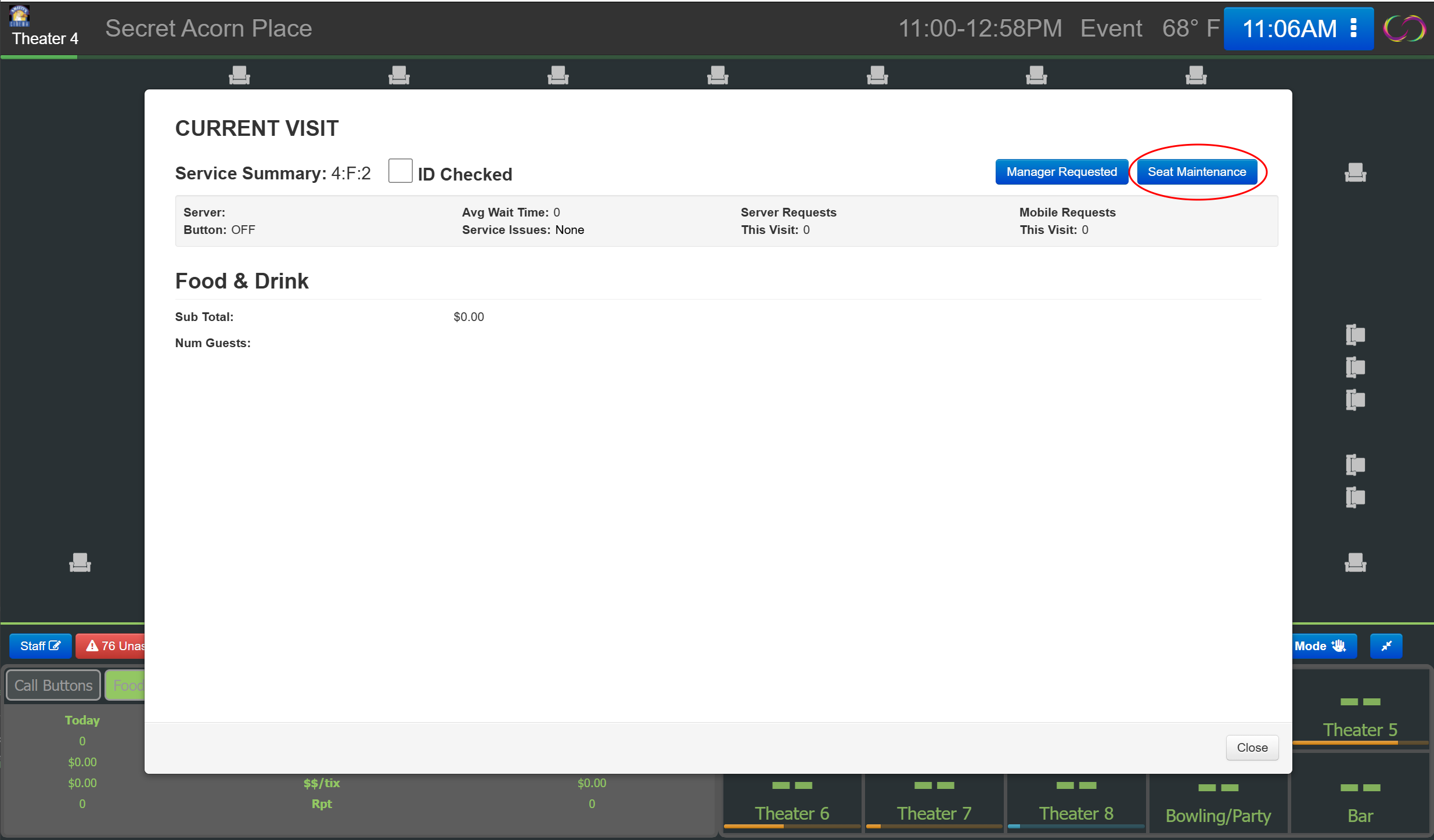
To create an issue, click on a seat icon, and this dialog box will open. Click on the "Seat Maintenance" button.
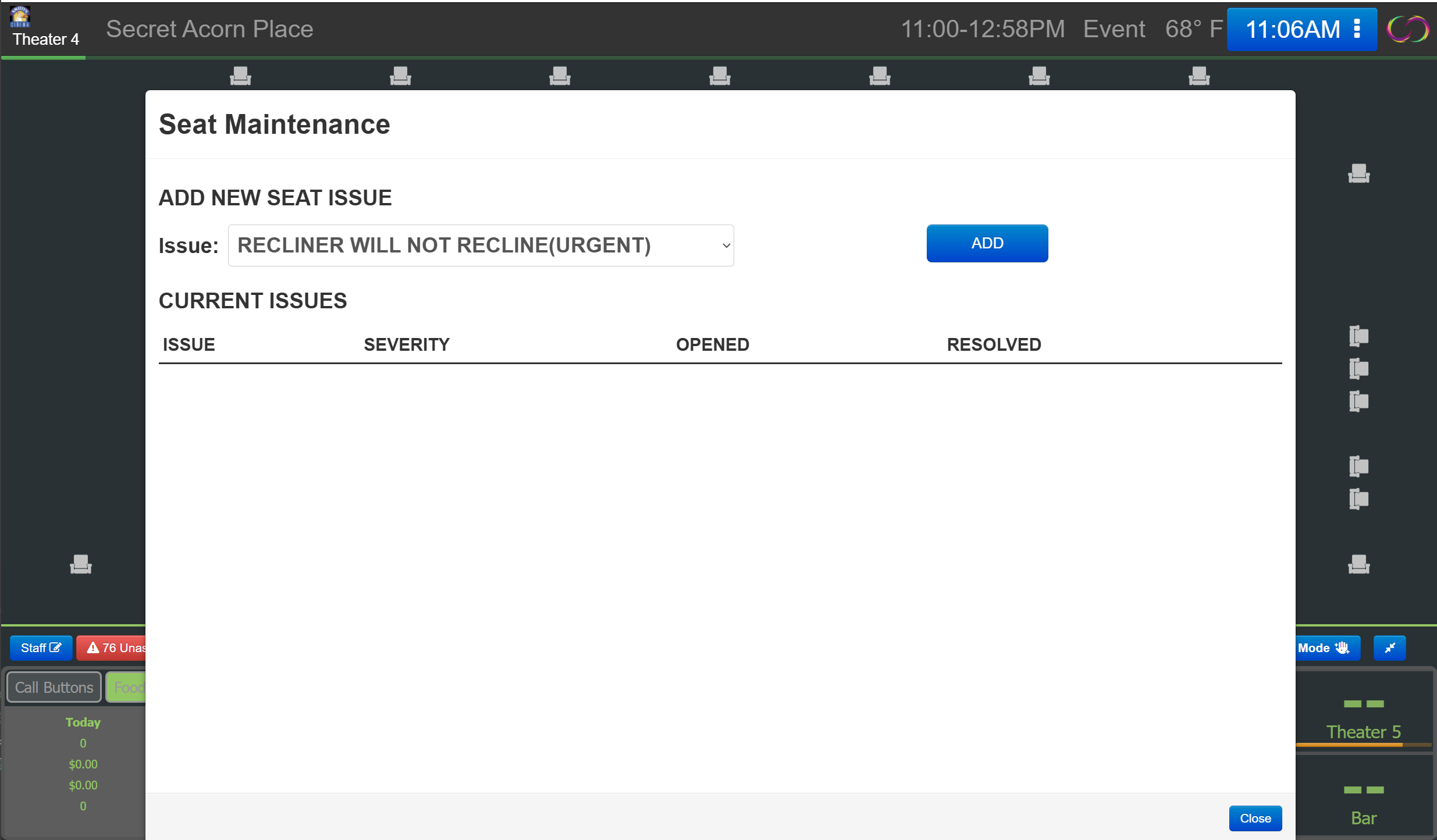
You will then be shown the following dialog, where you can choose which issue the seat is having.
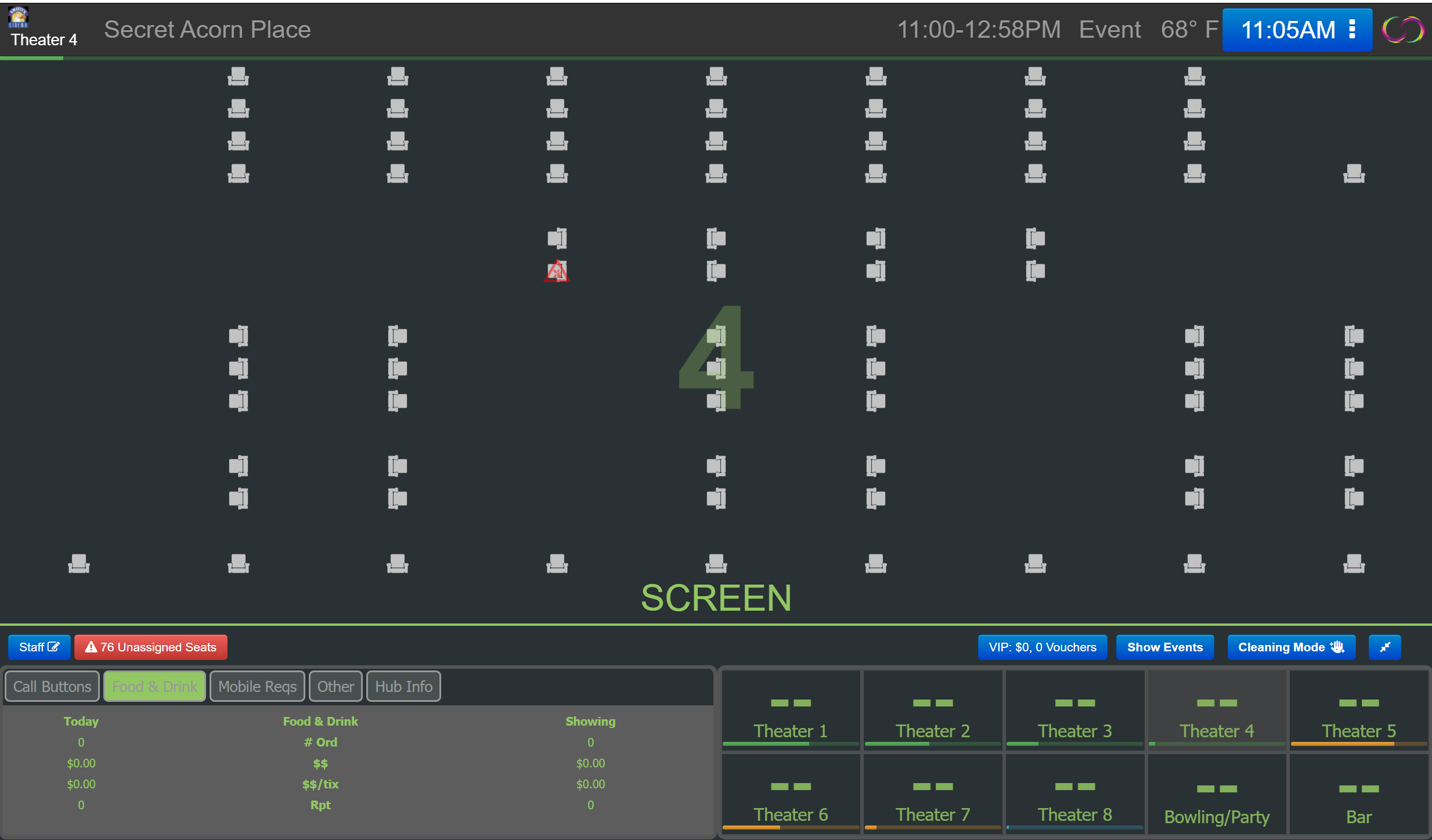
If the issue's severity is DISASTER, URGENT, or HIGH, an icon will be placed on the seat to indicate it has a serious maintenance issue that needs to be addressed.
Was this article helpful?
That’s Great!
Thank you for your feedback
Sorry! We couldn't be helpful
Thank you for your feedback
Feedback sent
We appreciate your effort and will try to fix the article